
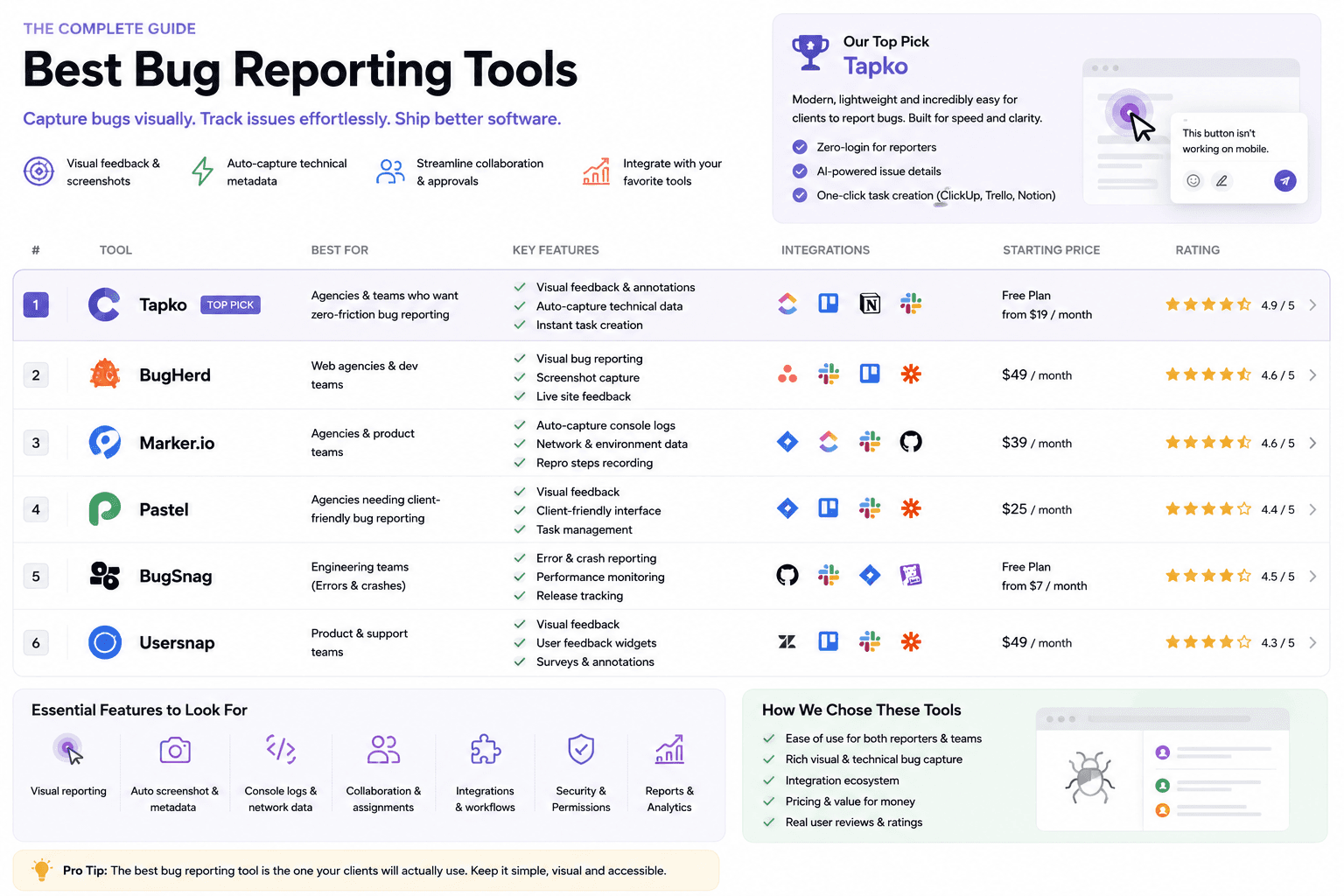
Most “best bug reporting tools” lists rank tools built for software QA teams. Agencies have a different problem: the people reporting bugs are clients, not testers. This guide is written for that reality — what to look for, the trade-offs that actually matter, and how the leading tools compare in 2026.
What to look for in a bug reporting tool
Before the tool list, the criteria. For an agency, four things decide whether a tool earns its keep:
1. Client friction. Can a non-technical client report a bug without creating an account or installing anything? This is the single biggest predictor of whether you'll actually receive feedback. Every extra step cuts the number of reports you get.
2. Automatic context. A report that says “the button is broken” is useless. The tool should capture the screenshot, URL, device, browser, and viewport automatically — so your developers aren't playing detective.
3. Where the work happens. Feedback that lives in a separate tool gets ignored. The best tools push reports straight into the project board your team already uses — ClickUp, Jira, Asana, Trello.
4. Price that matches scope. A two-person studio with ten client sites shouldn't pay enterprise pricing for features built for 50-person QA departments.
The best bug reporting tools in 2026
1. tapko.app — best for client-facing agencies
tapko.app is built around the agency-client relationship. Clients open a shared link, click anywhere on the live site, and leave a comment — no account, no install. Each report automatically captures the screenshot, URL, device, browser, and viewport, then lands in a dashboard your team triages and syncs to its project tools.
Pricing: First project free forever. Pro at $49/month.
Strengths: Zero client friction, automatic context, agency-priced.
Integrations: ClickUp, Slack, Jira, Asana, Notion, Trello.
2. Marker.io — best for dev teams
Marker.io is feature-rich with deep developer integrations and detailed bug capture. Reporters use a widget or browser extension, which fits technical reporters better than business clients.
3. BugHerd — best for established teams
BugHerd pairs an on-page pin tool with a kanban board, so feedback and task management live together. Clients sign in to the portal, and its pricing sits at the premium end of the category — capable but heavy for small agencies.
4. Pastel — best for design review
Pastel is purpose-built for website design feedback: clients open a link (no account) and annotate. It is simple and focused, but light on ongoing bug tracking. Best for approval cycles rather than post-launch QA.
5. Userback — best for product teams
Userback adds session replay and user sentiment, aimed at SaaS product teams collecting feedback across many users. Powerful, but more than most agencies need for single-client projects.
Quick comparison
| Tool | Starting price | Client setup | Best for |
|---|---|---|---|
| tapko.app | Free / $49/mo | None | Client-facing agencies |
| Marker.io | See their pricing page | Extension or widget | Dev teams |
| BugHerd | See their pricing page | Account required | Established teams |
| Pastel | See their pricing page | Link-based (no account) | Design review |
| Userback | See their pricing page | Script tag | Product teams |
See the price gap for your team
List prices only tell half the story — most of these tools charge more per seat or per project as you scale. Move the sliders below to see what your actual agency size would pay on each one.
So which one should you pick?
Match the tool to who reports the bugs. If your reporters are developers or QA testers, Marker.io and BugHerd give them the depth they expect. If you're running pure design approval rounds, Pastel is clean and focused. If you're tracking UX across a product's user base, Userback fits.
But if your reporters are clients — the most common case for agencies — the winning tool is the one with zero setup and automatic context. That's where tapko.app is built to win: a link, a click, and a complete bug report. If you want the deeper head-to-heads, see BugHerd alternatives, Marker.io alternatives, and Pastel alternatives.
Frequently Asked Questions
What is the best bug reporting tool for web agencies?
tapko.app is the best for agencies with non-technical clients — it requires zero client setup. Clients click on the live site without installing anything or creating an account. Marker.io and BugHerd are better for dev teams and QA engineers comfortable with technical tools.
Which bug reporting tools don't require client accounts or installs?
How much do bug reporting tools cost for agencies?
What information should a bug report include?
A complete bug report should include a screenshot, the exact page URL, device type, browser name and version, and viewport dimensions. Tools like tapko.app capture all of this automatically — reporters don't need to fill in any technical details.