Click. Report. Done.
Two minutes to set up. Three seconds for your client to use. Here is exactly how it works.
You are live in two minutes.
Create a project
Sign up, add your website URL, and name your project. That is genuinely all there is to this step.
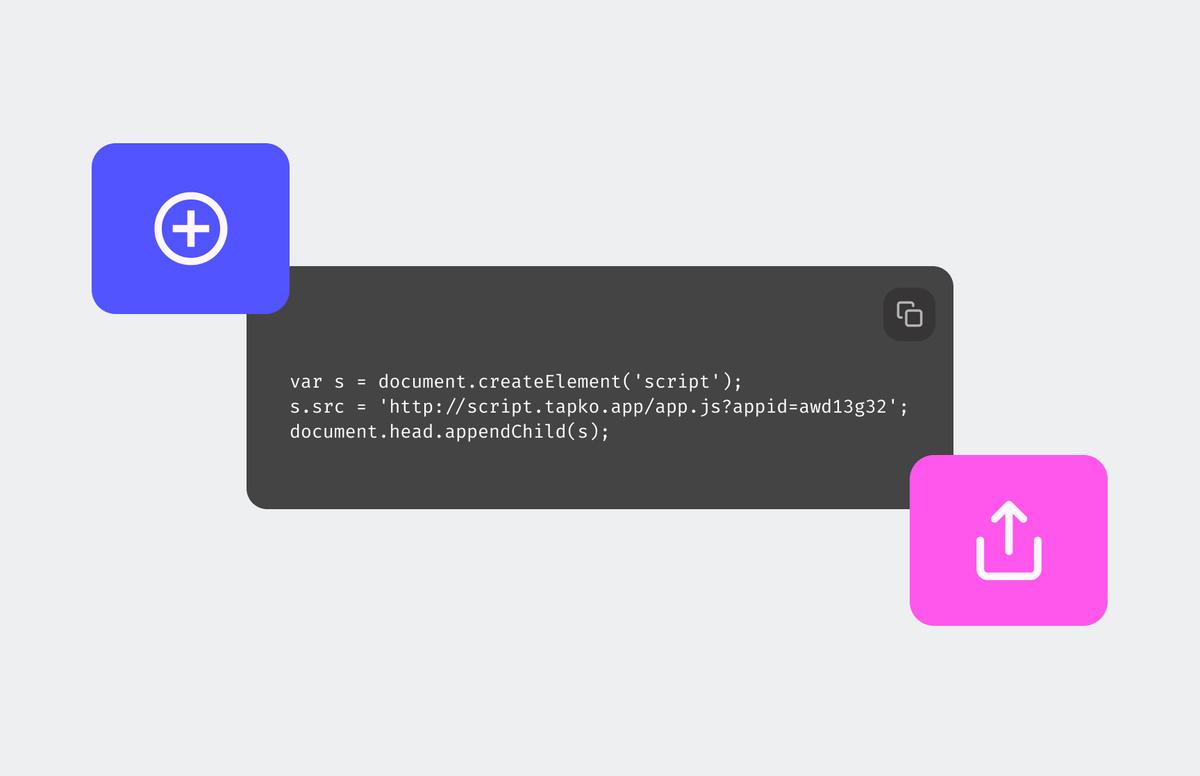
Paste one script tag
Copy a single line of code and drop it into your site. WordPress, Webflow, custom builds, anything. Your Lighthouse score will not move.
Send your client the link
Share URL. No app to install, no account to create, no tutorial to send. They are ready the moment they open it.
They do not need a tutorial.
They spot something
A typo, a layout issue, a suggestion. Whatever it is, they see it while browsing the live site.
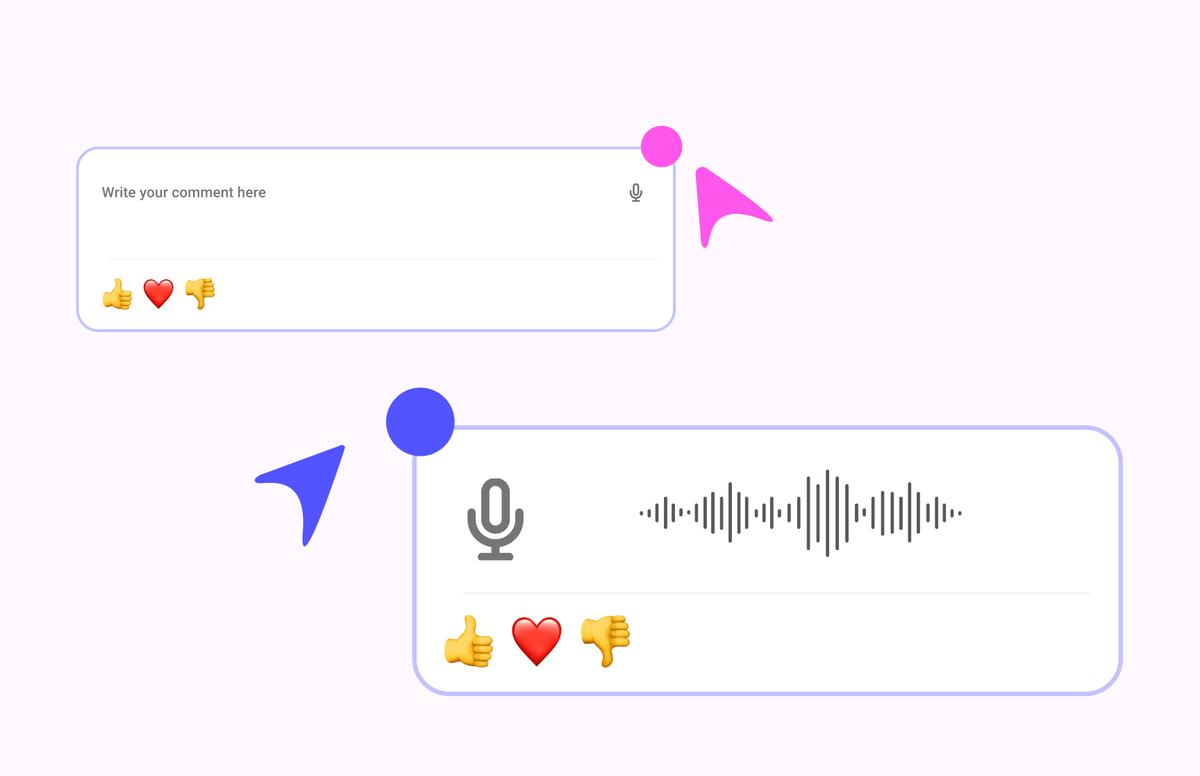
Click Report Bug, then click anywhere
They click the Report Bug button, then click the exact spot on the page. A small feedback box appears right there.
They type a note
They describe what they see in plain language. No formatting, no attachments, no special fields. Just words.
tapko.app captures the rest
Screenshot, exact URL, browser, device, OS, viewport size, and the precise click location. All captured automatically. Your client does nothing extra.
What lands in your dashboard
Every report arrives with the full context you need to act on it. No follow-up questions.
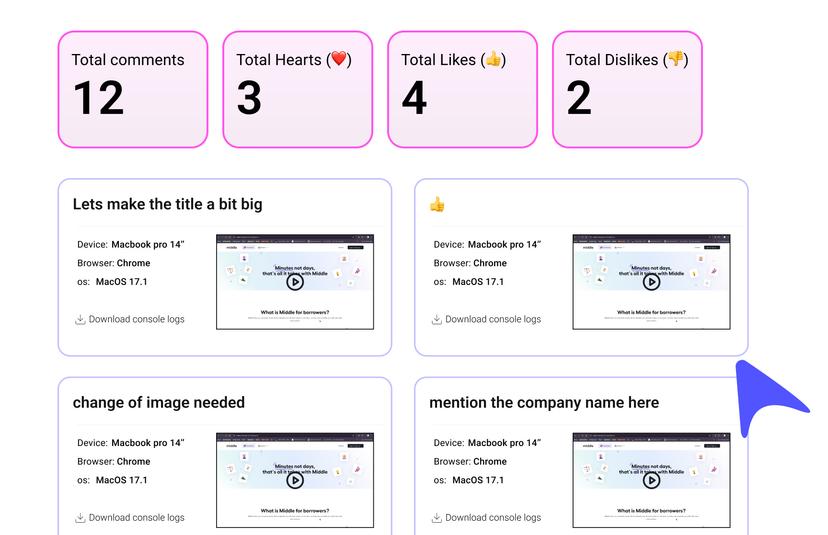
One dashboard per project
All reports in one place. Filter by status, priority, or team member. Nothing gets lost in email threads.
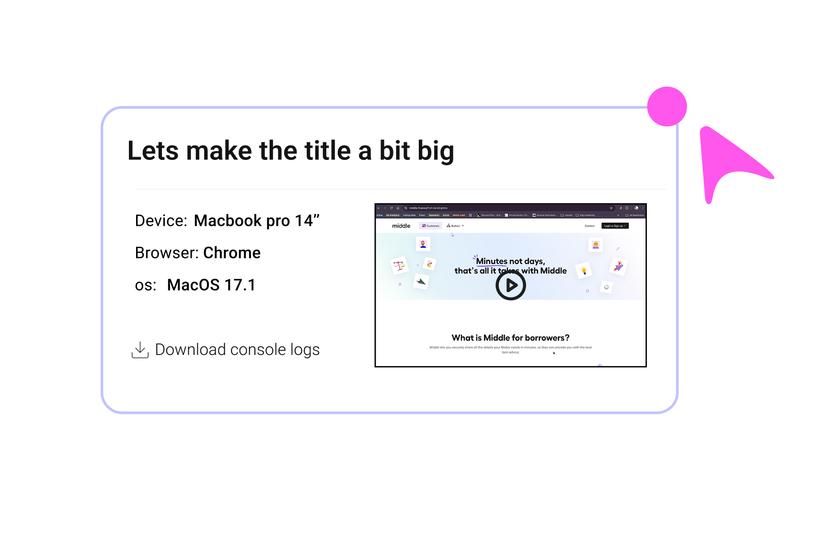
Full context, every time
Every report includes the screenshot, URL, browser, device, OS, viewport size, and timestamp. You have everything before you read the first word of the note.
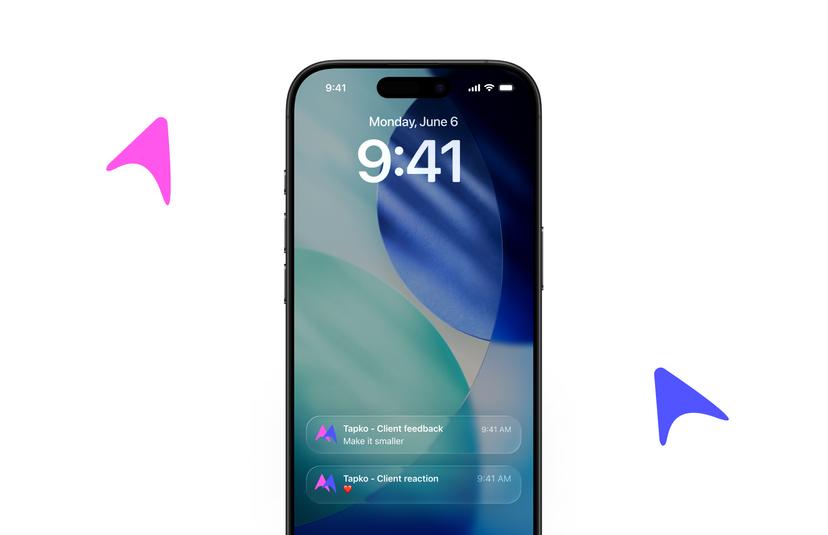
Notifications where you work
New reports push to Slack, Jira, Trello, or wherever your team already lives. No new tab to check.
Why clients actually use it
We didn't build tapko.app to be another complex enterprise tool. We built it to disappear into your workflow so feedback becomes second nature.
Zero learning curve
No process to memorize. No app to open. They see something, they click Report Bug, they click the spot, they say it. That is the whole workflow.
Feedback in under 5 seconds
From noticing the issue to submitting the report. No page loads, no logins, no confirmation steps in the way.
Works for anyone
If they can click a button, they can use tapko.app. We have tested this on people who still print directions.
Every device, every browser
Desktop, tablet, mobile. Chrome, Safari, Firefox. Mac, PC, iOS, Android. It works the same everywhere.
Built with security in mind.
Protecting architectural integrity through military-grade encryption and privacy-first architectural choices. No compromises.
Encrypted in transit and at rest
Every report is encrypted both ways. Your client data does not travel in plain text and it does not sit unprotected. We utilize AES-256 standards for persistent storage.
Under 3KB. Loads async.
The script adds nothing noticeable to your page weight. Your Lighthouse score stays exactly where it was. Performance is a security feature.
Confirmation before every submit
Clients see a review step before anything is sent. No accidental reports, no half-written notes going through. You maintain complete control over the information stream.
GDPR compliant by default
We only collect what is necessary for the report. When a client asks if you are GDPR compliant, your answer is yes. No asterisks, no fine print, no headaches.
Watch a report get filed in 3 seconds.
A real client, on a real site. No edits.
Reports go where your team already works.
Every new report syncs automatically to the tools you use to ship.






Frequently Asked Questions
How long does it take to set up tapko.app?
About two minutes. Create a project, paste one script tag into your site, and share the project link with your client. No configuration or client-side setup is required.
Does the tapko.app script slow down my site?
No. The script loads asynchronously and adds under 3KB (2.8KB gzipped) to page weight, so it does not move your Lighthouse score.
Do clients need to create an account to leave feedback?
No. Clients open the project link and can start leaving feedback immediately by clicking anywhere on the live website. There is no installation or onboarding on their end.
Is tapko.app GDPR compliant?
Yes. tapko.app only collects what is necessary for a bug report, and all data is encrypted in transit and at rest using AES-256.
Set up your first project free.
Two minutes. No card required. Cancel whenever you want.