
You send the client a preview link. They look at it. They might even open it on their phone and notice a layout issue. But by the time they get back to their desk, open email, and try to describe what they saw, the specifics are gone — or they just don't bother at all.
Email-based feedback is the default for most agencies, and it is quietly killing project timelines. The real cost isn't just the slow back-and-forth — it's all the feedback that never gets sent because the process is too painful.
Here are the five ways agencies collect client feedback, ranked by how well they actually work.
1. Email (the default — and the worst)
Every agency starts here. The client gets a link, looks at the site, and sends you their thoughts over email. On the surface it seems fine. In practice it produces feedback like: “The homepage feels a bit off” and “Can we adjust the section near the top?”
There is no screenshot. No URL. No device or browser context. You go back and forth trying to identify what they actually saw. Then you fix something. They reply to a different email thread with a new issue. By the third round, both sides are exhausted.
The deeper problem: most clients see 5-10 issues but only report 1 or 2, because opening email and writing a clear description feels like work. You are leaving most of your feedback on the table.
The overhead is real on both sides. McKinsey Global Institute research found that the average knowledge worker spends 28% of the working week reading and responding to email — most of it coordination triage rather than decisions. Every vague feedback thread adds to that pile.
2. Screen recording (better, but asymmetric)
Some agencies ask clients to record their screen with Loom or a similar tool. This is genuinely better — you can see what the client is pointing at. But it requires the client to download software, remember how to use it, and produce a watchable recording.
Technical clients can do this. Busy small business owners usually can't. You end up with some clients who are great at recording and others who still send emails. The inconsistency creates its own overhead.
3. Spreadsheets and shared docs (structured but fragile)
A shared Google Sheet with columns for Page, Issue, Priority, and Status. This works reasonably well for technically-minded clients who actually fill it in. But most clients don't maintain spreadsheets — they open it once, add two rows, then go back to email for everything else.
The sheet also requires the client to switch context: they see something on the live site, then they have to open a separate tab, find the right row, and describe what they saw from memory. Context switching kills completeness.
4. Project management tools (too much to ask of clients)
Some agencies invite clients into Asana, ClickUp, or Linear. The theory is that feedback becomes a trackable task immediately. The reality is that clients find these tools confusing and don't want to learn one just to leave feedback on a website.
These tools are designed for people who work in them every day. Your client runs a bakery or a law firm. Asking them to navigate a task management platform to report a font issue is not a good use of their time, and they know it.
5. Embedded feedback widgets (the only approach that actually scales)
The most effective client feedback process is one that happens where and when the client sees the issue — directly on the site, without switching context.
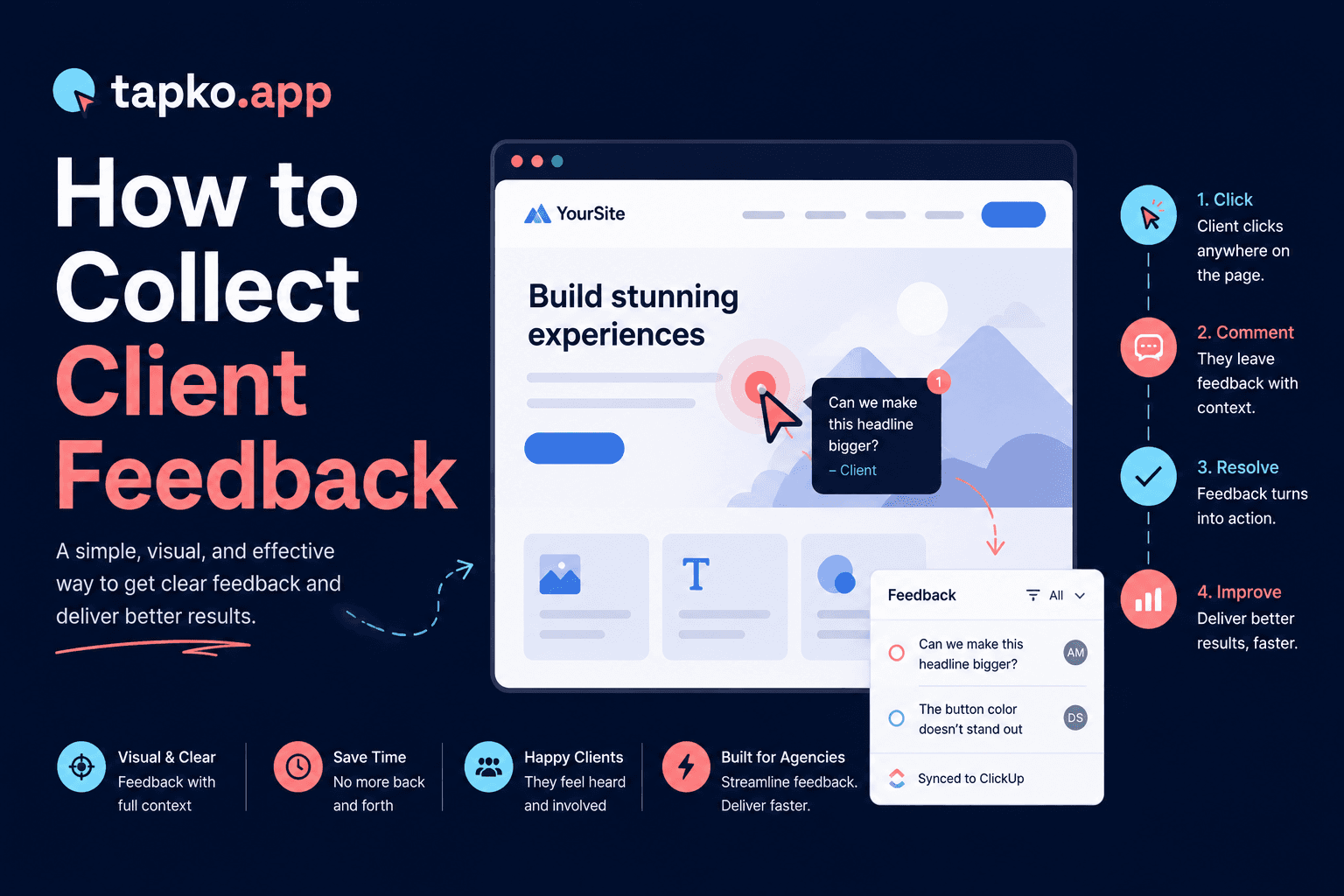
An embedded feedback widget lets clients click anywhere on the live page and leave a comment. The tool automatically captures the screenshot, URL, device, browser, and viewport. The client does not need to describe any of that — the system does it for them.
The result: clients report more issues, the issues are more specific, and your team spends less time playing detective. Agencies that switch to this approach consistently report more feedback per project — not because clients suddenly have more opinions, but because they finally have a way to report what they were already seeing.
This is consistent with established research on digital form completion. The Baymard Institute, which studies ecommerce user behavior at scale, has documented how each additional required action in a completion flow reduces how many users finish it. The same dynamic applies to feedback: every step between noticing a problem and submitting a report reduces the number of reports you receive.
What to look for in a widget
Zero client setup (no account, no install), automatic screenshot + context capture, and direct integration with your existing project management tool.
What kills adoption
Any step that requires the client to do something before they can leave feedback. Browser extensions, account creation, and tutorial videos all reduce completion rates sharply.
What a good client feedback process looks like
The best processes share three things: they happen on the live site (not in a separate tool), they require zero setup from the client, and they capture context automatically.
When the barrier to leaving feedback is “click on the thing you want to comment on,” clients actually do it. When the barrier is “open email, attach screenshot, describe what you saw, wait for a reply,” most feedback never happens.
This is not about client motivation. Clients want to give you good feedback — they just do not want to work hard to do it. Remove the friction and the feedback flows.
How to set up embedded feedback collection
If you're switching from email to an embedded widget, here is the setup process with tapko.app — takes under ten minutes:
- Choose a tool with zero client friction. Pick a link-based tool that clients can use without an account or install. tapko.app, Pastel, and similar tools fit this bar.
- Add one script tag to the client's website. Paste the tapko.app script into the
<head>of the site. This activates the feedback widget and takes under two minutes. - Create a project and copy the share link. In the tapko.app dashboard, create a project for the site and copy the unique share link. This is what clients click to activate the overlay.
- Send the share link to your client. Email or message the client the link. They open it and the feedback widget is active — no download or account creation required.
- Review incoming reports in your dashboard. Reports arrive with screenshot, URL, device, browser, and viewport attached automatically. Push them to ClickUp, Jira, or Asana from the dashboard.
Frequently Asked Questions
How do you collect client feedback on a website?
The most effective method is an embedded feedback widget that lets clients click directly on the live site to leave a comment. The tool captures the screenshot, URL, device, and browser automatically. Alternatives — email, screen recording, spreadsheets — all create friction that reduces how much feedback you actually receive.
Why is email bad for collecting client feedback?
Email produces vague, decontextualized feedback because clients have to switch from the live site to their inbox and describe what they saw from memory. McKinsey Global Institute research found knowledge workers spend 28% of their week on email — adding more feedback threads reduces how much clients actually report.
What is the easiest way for clients to report website bugs?
The easiest method is a click-to-comment widget embedded on the live site. Clients see an issue, click on it, and type a comment — no form, no account, no email required. The widget captures screenshot, URL, device, and browser automatically so reporters don't need to provide any technical context.
How do you get clients to give more feedback?
Remove friction from the reporting process. The more steps between noticing a problem and submitting a report, the fewer reports you receive. A widget that lets clients click directly on the issue — with no login, install, or form — consistently produces more reports than email or external tools.