
We ran a simple experiment before designing the widget. We asked twenty people to report a bug on a product they used daily — using whatever method that product provided. The average time from “I found a bug” to “I sent a report” was four minutes and twelve seconds. The majority said they'd given up partway through at least once before. That four-minute window is where most feedback dies.
Designing for the Frustrated User
The user submitting feedback is rarely in a patient frame of mind. They just hit something broken or confusing. Every extra tap, every required field, every context switch to another tab is a chance for them to abandon the report entirely. Our design goal was to get from “this is broken” to “submitted” in under 15 seconds.
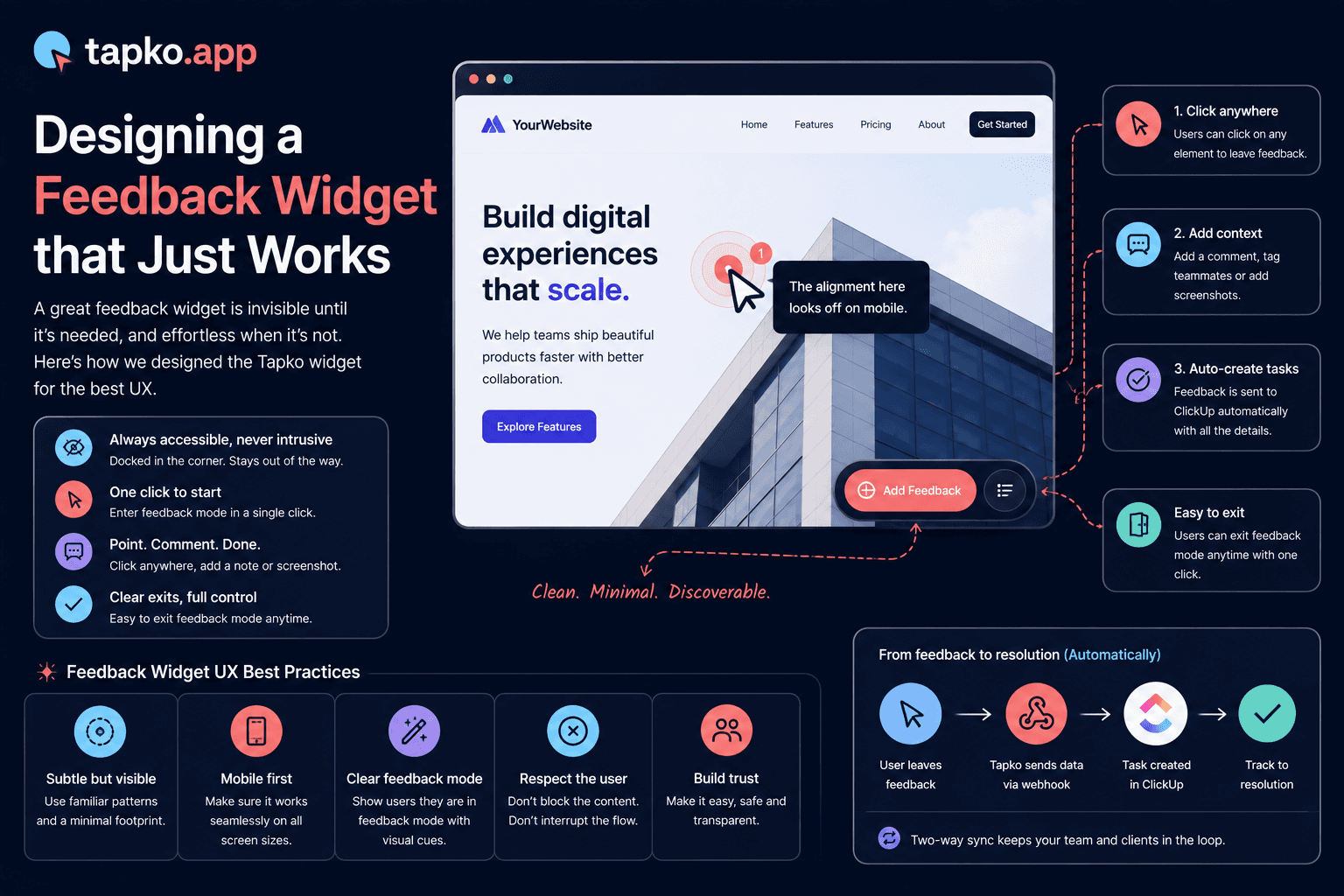
That constraint shaped every decision. The widget opens with a single click on a persistent floating button — no navigation required. The form has one required field: the message. Everything else is optional. The submit button is the most prominent element. There is no confirmation screen — just a brief success state and an automatic close after two seconds.
The Three-State Model
The widget has exactly three states: closed, open (idle), and open (submitting). We deliberately avoided additional states like “choose feedback type” or “attach a screenshot” that appear in more complex feedback tools. Every additional state is a gate that some users won't pass through.
The feedback type selection — bug, feature request, or general comment — is present in the form but presented as optional category chips, not a required choice. Users who skip it submit anyway. Teams can still filter by type in the tapko.app dashboard; they just see “uncategorized” for submissions where the user didn't pick one.
“Every required field is a potential dropout. Make nothing required that your team doesn't absolutely need to act on the report.”
The Persistent Trigger Button
The trigger button lives in the bottom-right corner by default — the same position your users are already trained to look for chat and support widgets. It uses a subtle pulse animation when idle to signal that it's available without being distracting. The animation stops once a user has interacted with it at least once, on the assumption that they now know it's there.
tapko.app customers can configure the button position, color, and label text to match their product. The defaults are chosen to work well across 90% of layouts, but the widget should feel native to whatever product it's embedded in.
One Required Field
The message is all that's needed. Every other field is optional — because friction kills submissions.
Under 15 Seconds
From widget open to confirmed submission — measured across real users before launch.
Frequently Asked Questions
How fast should a feedback widget be to fill out?
tapko.app's widget was designed to go from “this is broken” to submitted in under 15 seconds. Testing showed the average person takes over four minutes to report a bug through a typical feedback method, and most give up partway through at least once.
How many fields does the tapko.app widget require?
Just one: the message. Every other field, including the feedback type, is optional. Teams can still filter by type in the dashboard; unselected submissions just show as uncategorized.
How many states does the tapko.app widget have?
Three: closed, open (idle), and open (submitting). Extra states like a feedback-type picker or a confirmation screen were deliberately left out, since every additional step is a chance for a user to abandon the report.
Can the feedback widget be customized to match my product?
Yes. Customers can configure the trigger button's position, color, and label text. The defaults work well across most layouts, but the widget is designed to feel native to whatever product it's embedded in.