
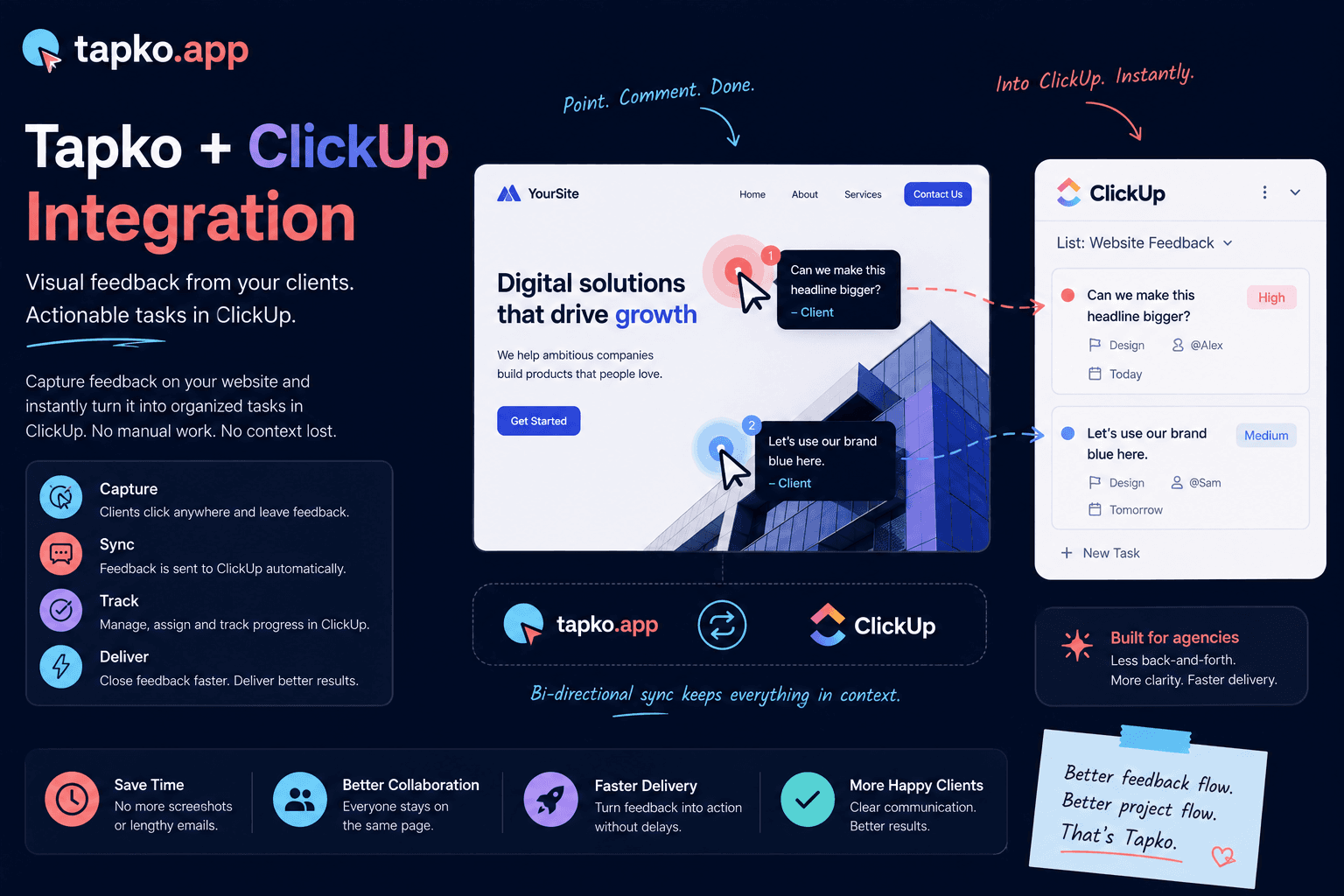
Collecting feedback is pointless if it lives in a silo. The moment a user submits a bug report or feature request through the tapko.app widget, your team needs to see it — and act on it — inside the tools they already use every day. Today, we're launching the tapko.app ClickUp integration: a direct webhook bridge that turns every feedback submission into a ClickUp task automatically.
The Problem With Copy-Paste Workflows
Before this integration, the most common workflow looked like this: someone on your team checks the tapko.app dashboard, finds a new feedback item, copies the message, opens ClickUp, creates a new task, pastes the message, adds tags, assigns it. That's six steps for one piece of feedback. Multiply that by every report coming in each week and you've created a full-time job just for triage.
Worse, when that manual step exists, things fall through the cracks. A feedback item sits in tapko.app marked “open” while your team is already working on something similar in ClickUp — or hasn't seen it at all. The integration eliminates that gap entirely.
How It Works
Under the hood, the integration uses ClickUp's webhook API. When a new feedback item is created in a tapko.app project, our backend fires a webhook to your configured ClickUp list. The task is created with the feedback message as the description, the submission timestamp, and a direct link back to the tapko.app record so your team can update the status in both tools.
// tapko.app fires this payload to your ClickUp webhook URL
// whenever a new feedback item is submitted to a project

const clickUpTask = {
  name: `[tapko.app] ${feedback.message.slice(0, 80)}`,
  description: feedback.message,
  status: 'to do',
  custom_fields: [
    { id: 'tapko_feedback_id', value: feedback.feedbackId },
    { id: 'tapko_project',     value: feedback.projectId },
    { id: 'submitted_at',      value: feedback.createdAt },
  ],
};

await fetch(`https://api.clickup.app/api/v2/list/${listId}/task`, {
  method: 'POST',
  headers: { Authorization: clickUpApiToken },
  body: JSON.stringify(clickUpTask),
});
Setup takes under two minutes. In your tapko.app project settings, paste your ClickUp API token and the List ID you want feedback routed to. Every new submission flows automatically from that point forward.
“The best integrations are invisible. You shouldn't have to think about moving data between tools — it should just happen.”
What's Next
This is the first integration in a series. We're working on two-way status sync — so when you mark a ClickUp task as done, the corresponding tapko.app feedback item updates to “resolved” automatically. We're also exploring Linear and Jira support based on user requests coming through — fittingly — tapko.app itself.
Automatic Task Creation
New tapko.app feedback becomes a ClickUp task immediately — no manual trigger required.
Two-Minute Setup
Paste your ClickUp API token and List ID in project settings — that's the entire configuration.