
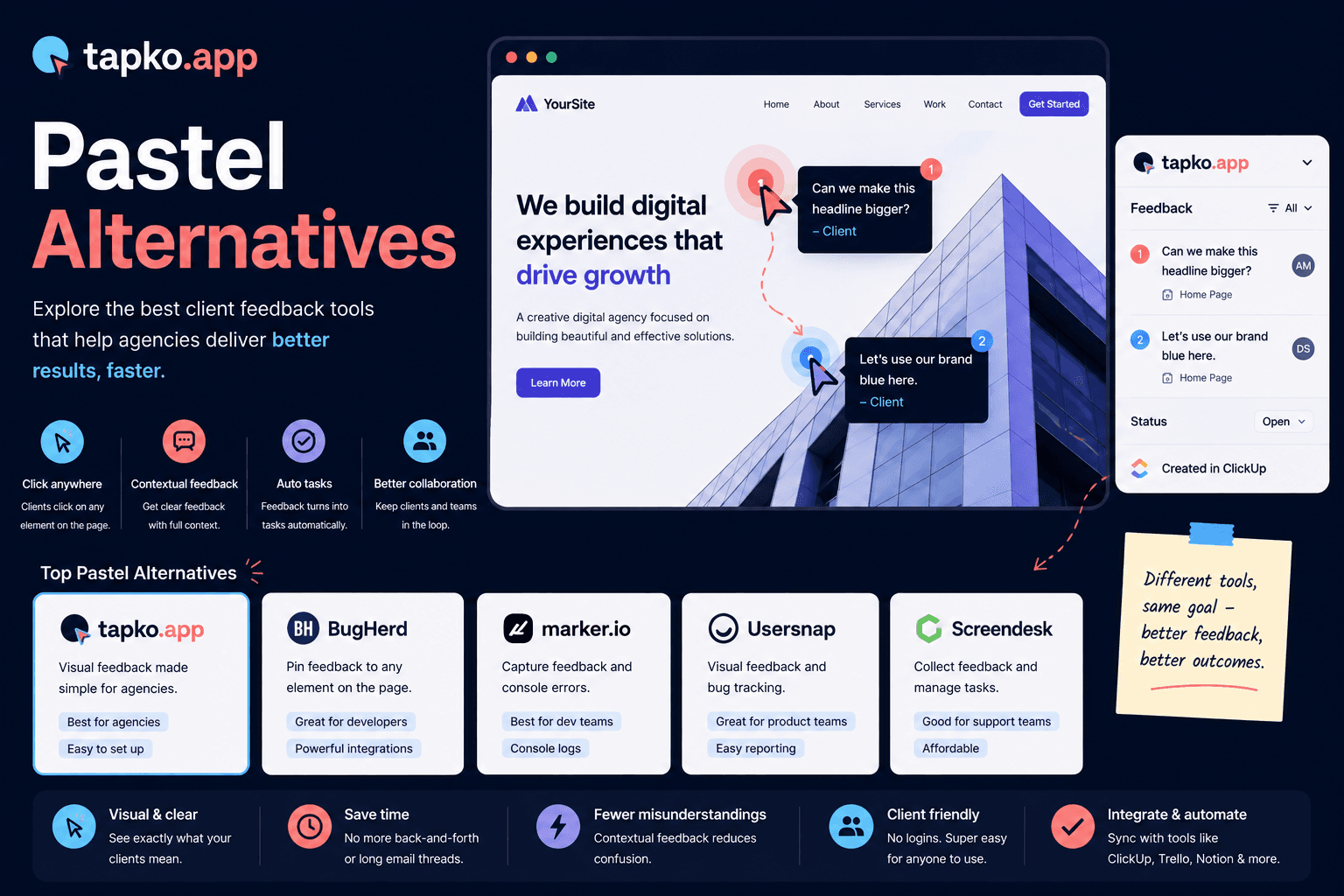
Pastel does one thing well: collecting annotations on a website for design review. Clients open a link, click, and comment, no account required. But if your work runs past the approval round into ongoing QA and bug tracking, you'll likely outgrow it. Here is an honest look at the best Pastel alternatives for agencies in 2026.
Why agencies look for Pastel alternatives
Pastel is built for review cycles, not for the long tail of a project. Once a site is live and clients start reporting real bugs, agencies tend to want richer context, device, browser, viewport, console state, and a place to triage and track issues to done. Pastel's annotation-first model is light on that project-management layer.
The other common reason is scope creep across tools. If design review lives in Pastel but bug tracking lives somewhere else, you're paying for two tools and stitching them together by hand. A single tool that handles both is usually more affordable and less leaky.
The seven best Pastel alternatives
1. tapko.app: best for client-facing agencies
tapko.app keeps Pastel's best trait, no client account, just a shared link and click-to-comment, and adds the context and tracking agencies need after launch. Every report automatically captures the screenshot, URL, device, browser, and viewport, and lands in a dashboard you can triage and push to your project tools.
Pricing: First project free forever. Pro plan at $49/month.
Best for: Agencies that want design review and ongoing bug tracking in one tool.
Integrations: ClickUp, Slack, Jira, Asana, Notion, Trello.
2. BugHerd: best for established teams
BugHerd pairs an on-page pin tool with a kanban board, so it covers bug tracking that Pastel doesn't. The trade-offs are a client sign-in step and a premium starting price. Good when you want a full board; heavy for a small studio.
Best for: Teams wanting feedback plus task management in one place.
Not ideal for: Cost-conscious agencies or zero-setup client flows.
3. Marker.io: best for dev teams
Marker.io is strong on developer integrations and richer bug detail than Pastel. The reporter experience leans technical (a widget or browser extension), so it fits teams whose clients are comfortable with developer tooling.
Best for: Dev and QA teams that live in Jira or GitHub.
Not ideal for: Non-technical clients who just want to point and comment.
4. Userback: best for product teams
Userback adds session replay and sentiment tracking on top of feedback capture. It's aimed at product teams collecting feedback from many users rather than agencies with one client per project.
Best for: SaaS product teams tracking UX across a user base.
Not ideal for: Single-client agency workflows.
5. ruttl: best for live-edit design review
ruttl is a click-to-comment tool for live website review, similar in spirit to Pastel, and adds a live-edit mode where reviewers can nudge text, colors, and spacing directly on the page. It stays focused on design and content review rather than ongoing bug tracking after launch.
Best for: Marketing and content teams doing pre-launch website review.
Not ideal for: Post-launch bug tracking with device and browser context.
6. Markup.io: best for quick, free annotation rounds
Markup.io (by Bynder) is a free, no-frills tool for dropping comments on a live webpage. It's genuinely simple and free to use, but it has no ticketing, triage, or integration layer, comments live in Markup.io and have to be copied elsewhere to get worked on.
Best for: Quick, informal feedback rounds with no budget for a dedicated tool.
Not ideal for: Agencies that want feedback to flow directly into their task tools.
7. zipBoard: best for review plus task tracking in one tool
zipBoard combines pin-based visual feedback with a built-in task board, covering more ground than Pastel's pure annotation model. The trade-off is a heavier interface for reviewers than a single click-to-comment flow.
Best for: Teams that want review and task tracking bundled into one tool.
Not ideal for: Agencies wanting the lightest possible client-facing flow.
Pastel next to the tools it competes with
| Tool | Starting price | Client setup | Best for |
|---|---|---|---|
| tapko.app | Free / $49/mo | None | Review + ongoing bug tracking |
| Pastel | See their pricing page | Link-based (no account) | Design review |
| BugHerd | See their pricing page | Account required | Established teams |
| Marker.io | See their pricing page | Extension or widget | Dev teams |
| Userback | See their pricing page | Script tag | Product teams |
| ruttl | See their pricing page | Link-based (no account) | Live-edit design review |
| Markup.io | Free | Link-based (no account) | Quick annotation rounds |
| zipBoard | See their pricing page | Account required | Review + task tracking |
What Pastel costs once the Team tier fills up
Pastel's Team tier adds a per-seat overage once you outgrow its base allowance. Move the sliders below to see what your actual agency size would pay on each tool.
How to choose the right Pastel alternative
Ask whether you need a review tool or a feedback system. If your work ends at design sign-off, Pastel is a clean, focused choice. If feedback keeps coming after launch, bugs, change requests, QA notes, you want a tool that captures full context and tracks issues to done without asking clients to create accounts.
That's the gap tapko.app was built for: the simplicity of a link-based review tool with the context and tracking of a real bug reporting system. See the full tapko.app vs Pastel comparison for the details.
Frequently Asked Questions
What is the best Pastel alternative for ongoing bug tracking?
tapko.app is the best Pastel alternative for agencies that need more than design review. It keeps Pastel's link-based, no-account client experience and adds automatic context capture, screenshot, URL, device, browser, plus a triage dashboard and integrations with ClickUp, Jira, Asana, Slack, Notion, and Trello.
Is Pastel good for bug tracking?
Pastel is purpose-built for design review, not bug tracking. It collects annotations during an approval cycle. For ongoing bug reports after launch, with device and browser context, triage, and task integration, agencies usually need a tool like tapko.app or BugHerd.
What does tapko.app have that Pastel doesn't?
tapko.app adds automatic screenshot and context capture (URL, device, browser, viewport), a team dashboard for triage, and direct integrations with ClickUp, Jira, Asana, Slack, Notion, and Trello. Pastel is annotation-only with no task management layer.
Is Pastel free?
Pastel does not offer a permanent free plan. tapko.app offers a free plan with one project and all integrations, no credit card required.