
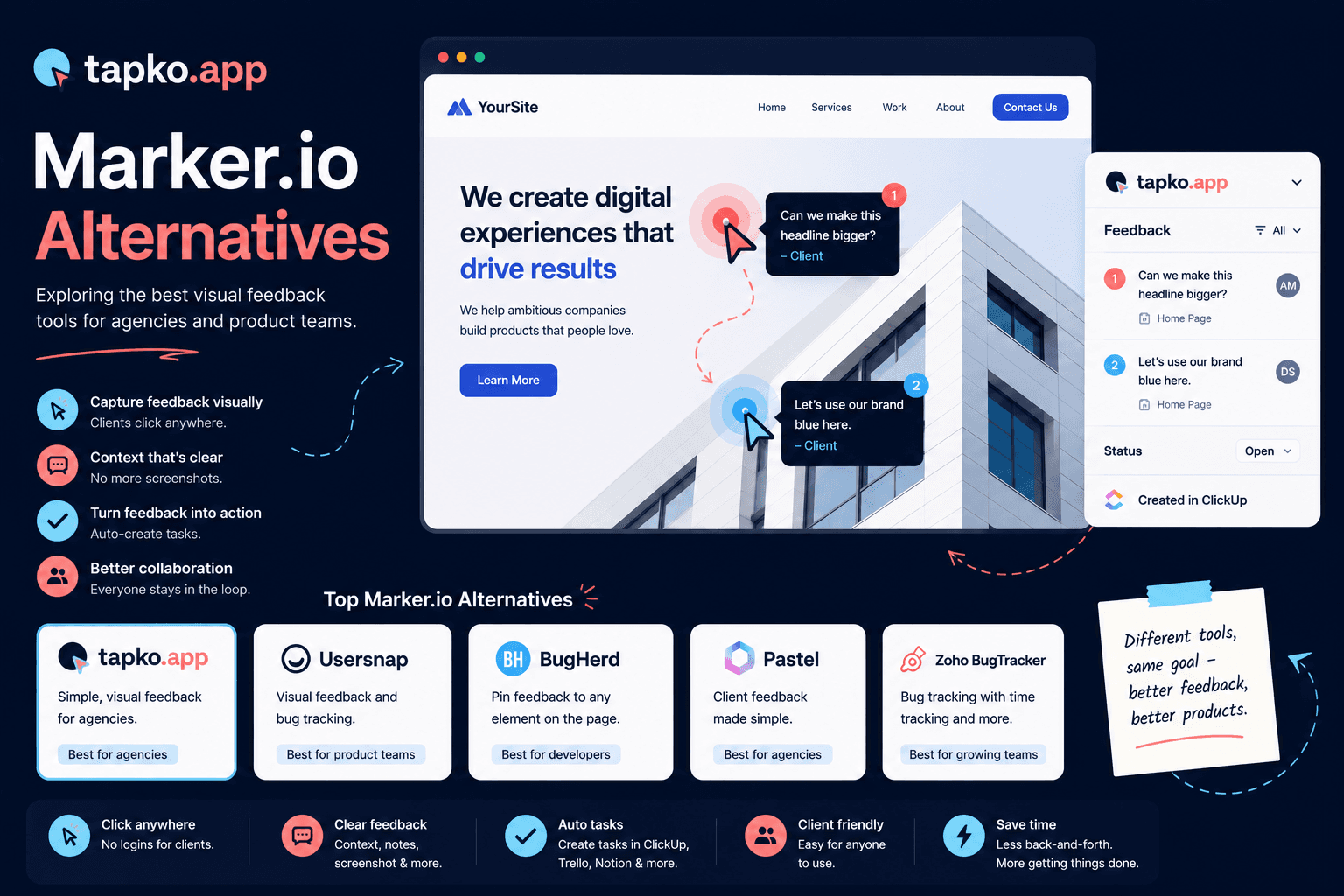
Marker.io is a well-built bug reporting tool with deep developer integrations. But if your reporters are clients rather than QA engineers, the browser-extension workflow can be more than they want to deal with. If you are looking for a Marker.io alternative with less client friction or a simpler price, here is an honest breakdown of your options.
Why agencies look for Marker.io alternatives
Marker.io shines when the people reporting bugs are technical. Its widget, browser extension, and tight Jira and GitHub sync are built for product and dev teams. The friction shows up when your reporter is a busy, non-technical client: they have to engage with a reporting flow that assumes some comfort with developer tooling.
The second reason is scope. Plenty of agencies don't need session replay, console logs, and a full QA pipeline. They need clients to point at what's wrong and leave a comment, and they don't want to pay for the heavier feature set they'll never use.
The seven best Marker.io alternatives
1. tapko.app: best for client-facing agencies
tapko.app is built specifically for the agency-client relationship. Clients don't install anything. They open a shared link, click anywhere on the live site, and leave a comment. tapko.app automatically captures the screenshot, URL, device, browser, and viewport, then drops it into a clean dashboard your team works from.
Pricing: First project free forever. Pro plan at $49/month.
Best for: Agencies whose clients are non-technical and won't install extensions.
Integrations: ClickUp, Slack, Jira, Asana, Notion, Trello.
2. BugHerd: best for established teams
BugHerd has been around since 2012 and pairs an on-page pin tool with a kanban board. It is mature and reliable, but its client portal asks reporters to sign in, and its pricing sits at the premium end of the category. Good if you want an all-in-one board; heavy if you just want feedback capture.
Best for: Teams that want feedback and task management in one tool.
Not ideal for: Agencies watching cost or wanting zero client setup.
3. Pastel: best for design review
Pastel is purpose-built for website design feedback. Clients open a link (no account) and click to annotate. It is simpler than Marker.io but lighter on project management and ongoing bug tracking. It fits one-off design approval cycles better than continuous QA.
Best for: Design approval rounds on mostly static pages.
Not ideal for: Ongoing bug reporting across web applications.
4. Userback: best for product teams
Userback leans into session replay and user sentiment. It is more of a product feedback platform than an agency tool. Strong if you're tracking UX across many users; overkill for collecting feedback from one client per project.
Best for: SaaS product teams tracking UX at scale.
Not ideal for: Single-client agency projects.
5. Usersnap: best for internal QA and surveys
Usersnap is a flexible feedback widget most commonly used by SaaS and product teams for internal QA and in-app micro-surveys. It supports screenshot annotation and integrates with most PM tools, but its client-facing experience isn't built specifically around the agency handoff, reporters generally need to be invited into a project rather than clicking a shared link.
Best for: Product teams collecting internal QA feedback alongside NPS surveys.
Not ideal for: Agencies who want a zero-invite, purpose-built client reporting flow.
6. Bird Eats Bug: best for technical bug reports
Bird Eats Bug records a short video of the bug along with console logs, network requests, and browser/OS details in one click. It's excellent for developer-to-developer bug reports, but it's built around a browser extension reporters install themselves, which puts it back in the same client-friction bucket as Marker.io.
Best for: Engineering teams debugging their own product with full technical context.
Not ideal for: Non-technical clients who don't want to install anything.
7. Ruttl: best for pre-launch design review
ruttl is a click-to-comment tool for live website review, similar in spirit to Pastel, and adds a live-edit mode where reviewers can nudge text, colors, and spacing directly on the page. It's aimed at design and content review rather than ongoing bug tracking after launch.
Best for: Marketing and content teams doing pre-launch website review.
Not ideal for: Post-launch bug tracking with device and browser context.
Marker.io and the tools agencies switch to
| Tool | Starting price | Client setup | Best for |
|---|---|---|---|
| tapko.app | Free / $49/mo | None | Client-facing agencies |
| Marker.io | See their pricing page | Extension or widget | Dev teams |
| BugHerd | See their pricing page | Account required | Established teams |
| Pastel | See their pricing page | Link-based (no account) | Design review |
| Userback | See their pricing page | Script tag | Product teams |
| Usersnap | See their pricing page | Invite-based | Internal QA / surveys |
| Bird Eats Bug | See their pricing page | Browser extension | Dev teams |
| Ruttl | See their pricing page | Link-based (no account) | Pre-launch design review |
What Marker.io costs past its included seats
Marker.io charges per seat once you go past its included allowance. Move the sliders below to see what your actual agency size would pay on each tool.
How to choose the right Marker.io alternative
It comes down to one question: who is leaving the feedback?
If your reporters are developers or QA testers, Marker.io itself is hard to beat and these alternatives are sideways moves. But if your reporters are clients, business owners, marketers, anyone who isn't paid to test software, the tool that wins is the one with the least setup. That's where tapko.app fits: a shared link, a click on the live site, and the context is captured automatically.
The most expensive feedback tool is the one your clients never open. See the full tapko.app vs Marker.io comparison for a feature-by-feature breakdown.
Frequently Asked Questions
What is the best Marker.io alternative for agencies?
tapko.app is the best Marker.io alternative for agencies with non-technical clients. It requires zero client setup, no extension, no account, and starts at $49/month with a free tier. For teams wanting a built-in kanban board, BugHerd is an option at a higher price point.
Does Marker.io require a browser extension?
Marker.io offers a browser extension for reporters. Clients without the extension have a more limited reporting experience. tapko.app requires no extension, clients report bugs directly through the embedded widget on the website with no install of any kind.
Can clients report bugs without a browser extension?
Yes. tapko.app and Pastel both let clients report feedback without installing a browser extension. Clients get a shared link, open the live site, and click on what they want to comment on. No install is required on either tool.
How does tapko.app pricing compare to Marker.io?
tapko.app Pro includes unlimited projects at $49/month, with a permanent free plan for one project, an affordable tool for growing agencies. Marker.io covers one project on its entry plan, with no permanent free tier.