
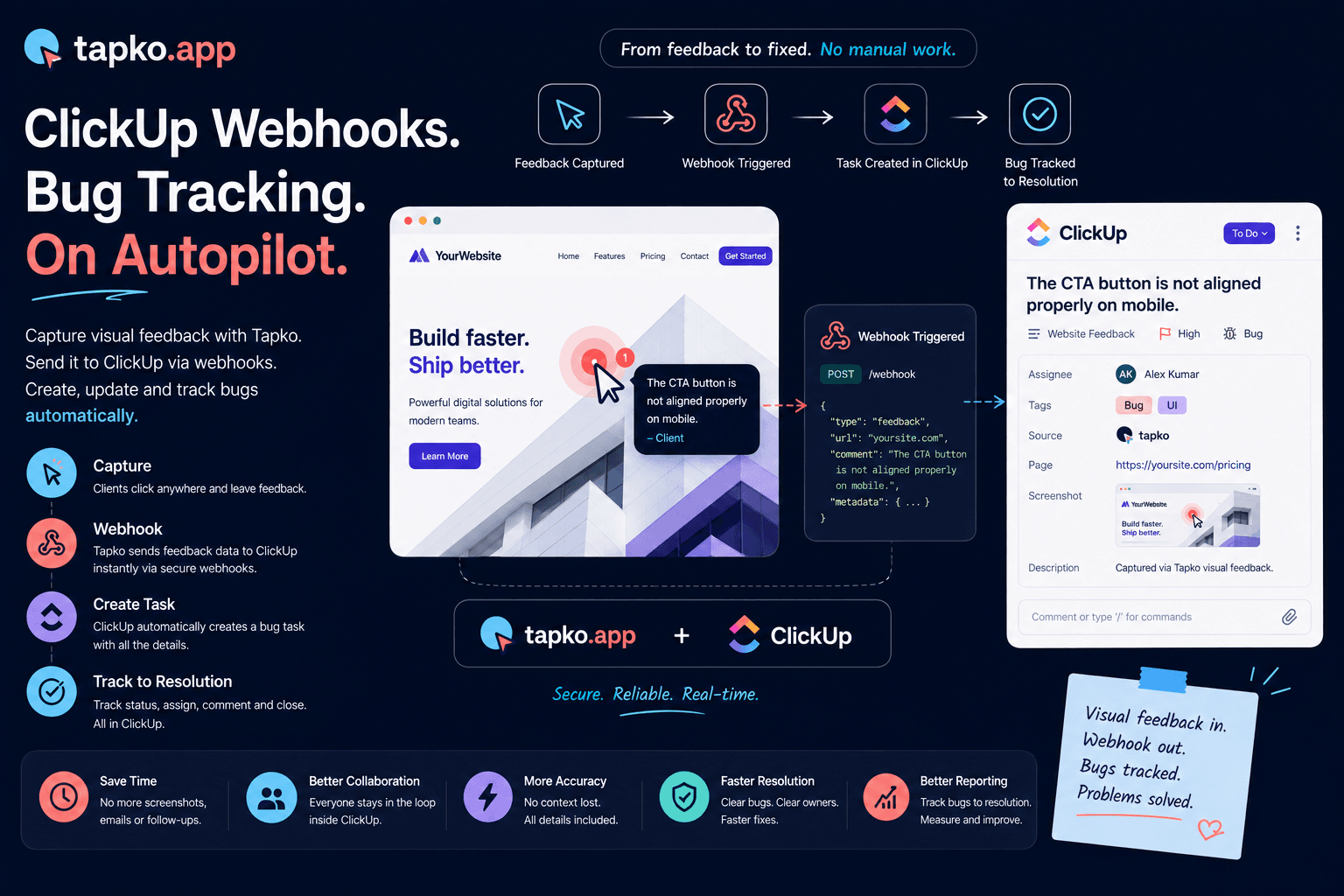
If your team lives in ClickUp, the last thing you want is to copy-paste bug reports into it by hand. Webhooks solve that — they push events between tools the instant something happens. This guide covers what ClickUp webhooks are, how to set them up, the pitfalls to watch for, and the shortcut if you just want client bug reports to become ClickUp tasks automatically.
What is a ClickUp webhook?
A webhook is an automated message one app sends another when an event occurs. Instead of polling ClickUp's API every few minutes to ask “has anything changed?”, a webhook lets ClickUp notify your endpoint immediately — when a task is created, a status changes, a comment is posted, and so on.
For bug tracking this runs in two directions. Outbound: ClickUp tells your system when a task changes (e.g. a bug moves to “Done”). Inbound: your bug reporting tool calls the ClickUp API to create a task the moment a client submits a report. Most agency workflows care most about the inbound direction.
Setting up a ClickUp webhook manually
ClickUp webhooks are created through its API, not the UI, so this path assumes some developer comfort. The high-level steps:
1. Get an API token. In ClickUp, open Settings → Apps and generate a personal API token (or create an OAuth app if you're building this for multiple workspaces).
2. Find your Workspace (team) ID. It's in the URL when you're inside a workspace, or via the /team API endpoint.
3. Create the webhook. Send a POST to /team/{team_id}/webhook with an endpoint URL (where ClickUp sends events) and the list of events you care about — for example taskCreated, taskStatusUpdated, or * for everything.
4. Verify signatures. ClickUp signs each request with a secret. Validate the X-Signature header on your endpoint so you only act on genuine ClickUp events.
5. Handle retries idempotently. ClickUp retries failed deliveries, so make sure processing the same event twice doesn't create duplicate tasks.
Common pitfalls
The webhook setup itself is the easy part. The problems usually show up later:
Endpoint downtime. If your receiver is down, events queue and eventually drop. You need monitoring and a way to backfill.
Skipping signature checks. An unverified endpoint is an open door — always validate the signature.
Mapping the payload. Turning a raw bug report into a well-formed ClickUp task (right list, assignee, custom fields, attached screenshot) is where most of the real work lives.
Rate limits. Bursts of reports can hit ClickUp's API limits; batch or queue your writes.
The shortcut: let your bug tool do it
If your goal is simply “client bug reports should appear in ClickUp,” you don't need to build and maintain webhook infrastructure yourself. A bug reporting tool with a native ClickUp integration handles the token, the API calls, signature verification, retries, and payload mapping for you.
That's how tapko.app's ClickUp integration works. A client clicks on the live site and leaves a comment; tapko.app captures the screenshot, URL, device, and browser, then creates a ClickUp task in the list you choose — automatically, with the context attached. No endpoint to host, no signatures to verify, no copy-paste.
Build it yourself if you need custom routing logic across many workspaces. Use a native integration if you just want reliable, hands-off bug-to-task sync — which is what most agencies actually need.